TEACHING RESOURCE
Digital Safety & Image-Based Harms: 5-Lesson Unit on Consent, Privacy & Online Respect (Years 4–7)
Published: 12 Oct 2025
View Lesson PlanUnit Description
This five-lesson unit develops students’ understanding of digital safety, consent, and image-based harms.
Students will explore how online behaviours can affect privacy, wellbeing, and relationships.
The lessons balance knowledge and empathy, using scenario-based learning, explicit teaching, and student reflection.
By the end of the unit, students will be able to:
- Recognise unsafe or unethical online behaviour.
- Apply consent principles before sharing content.
- Understand the laws protecting them from image-based abuse.
- Show empathy and know how to seek help.
- Create a personal safety plan.
Preparation for Teachers
Before teaching:
- Review current eSafety resources: https://www.esafety.gov.au
- Establish clear class norms around respectful discussion and no sharing of real incidents.
- Prepare a “safe talk” protocol: Pause, Privacy, Respect.
- Familiarise yourself with your school’s reporting process for online harm.
Unit Overview
| Lesson | Focus | Key Skills & Outcomes |
|---|---|---|
| 1 | Understanding Digital Safety | Identify what digital safety means and why it matters |
| 2 | Image Sharing & Consent | Learn about image-based harms and the importance of consent |
| 3 | Laws, Rights, and Responsibilities | Understand Australian laws about image-based abuse |
| 4 | Empathy and Emotional Impacts | Explore how image-based harms affect individuals and communities |
| 5 | Taking Action and Seeking Help | Develop help-seeking skills and personal safety plans |
Curriculum Links (v9)
Health and Physical Education (Years 5–6, 7–8):
- Examine how media and online interactions influence identities and relationships (AC9HP6P04, AC9HP8P04)
- Investigate strategies to manage emotional responses to online experiences (AC9HP6P05)
- Practise help-seeking strategies and assertive communication (AC9HP6P06, AC9HP8P06)
Digital Technologies (Years 5–6, 7–8):
- Explain how digital systems manage and secure data (AC9TDI6K04, AC9TDI8K04)
- Identify privacy concerns and explain how personal data is shared and protected (AC9TDI8P06)
Civics and Citizenship (Years 5–7):
- Discuss how laws protect people and support fair treatment (AC9HC6K06, AC9HC7K05)
- Explore responsible online behaviour and digital citizenship (AC9HC7S03)
Lesson 1: What Is Digital Safety?
Duration: 60 minutes
Focus: Understanding digital safety, footprints, and respectful online behaviour.
Learning Intention
Students understand what digital safety means and how online actions create a digital footprint.
Success Criteria
- I can define digital safety.
- I can give examples of safe and unsafe behaviour online.
- I can explain how my online actions leave a footprint.
Teacher Script & Support
1. Warm-Up Discussion (10 mins)
🗣 Teacher says:
“Let’s start with two quick stories. Imagine your friend posts a funny photo of you without asking.
How would you feel? What could happen if other people share it?”
Display both a positive online post (e.g., a group project photo) and a risky one (e.g., sharing a private photo).
Ask students to stand on a “Safe / Risky” continuum (corners of the classroom).
Facilitator Tips:
- Keep tone calm and non-judgemental.
- Reinforce: “We’re talking about behaviours, not people.”
2. Explicit Teaching (15 mins)
Show the eSafety Commissioner’s “Be Secure Online” video (Years 4–6).
🗣 Teacher says:
“Everything we do online leaves a trace — like digital footprints in sand. Some fade, but others stay forever.”
Use a footprint visual. Write:
- Likes
- Comments
- Photos
- Messages
Ask:
“Which of these could be seen by others? Which could be copied or shared?”
3. Activity – My Digital Day (25 mins)
Students complete a worksheet mapping all the digital interactions they have in a day (social media, messaging, games).
For each one, they identify:
- Who can see it?
- What information is shared?
- Is it public, private, or personal?
🧠 Prompt students:
“Think about whether you’d be okay if your teacher, grandparent, or future employer saw this.”
4. Reflection (10 mins)
Students write or share one action they’ll take to improve their online safety.
🗣 Teacher says:
“One small change can make a big difference. What’s one habit you’ll try?”
Assessment:
✔ Observation of participation in discussions.
✔ Completion of “My Digital Day” worksheet.
Differentiation:
- Simplify worksheet visuals for Year 4.
- Extend Year 7 students: Create a class “Digital Safety Charter.”
Lesson 2: Image Sharing & Consent
Duration: 60 minutes
Focus: Understanding consent and image-based harm.
Learning Intention
Students learn why consent matters when sharing images and what image-based harm means.
Success Criteria
- I can explain what consent is.
- I can identify safe and unsafe image-sharing scenarios.
- I can show how to get and give consent.
Teacher Script & Support
1. Starter – “Would You Share It?” (10 mins)
Teacher reads quick scenarios; students move to corners marked Share, Don’t Share, Not Sure.
Examples:
- “A photo of your pet.”
- “A funny picture of your friend sleeping.”
- “A meme that includes your classmate’s name.”
🗣 Teacher says:
“Consent means asking before you post — and respecting the answer, even if it’s no.”
2. Explicit Teaching (15 mins)
Show short eSafety video “Consent and Image Sharing.”
Use slides or whiteboard to explain key terms:
- Consent: permission freely given.
- Private Image: an image that shows someone in a personal situation or without clothes.
- Image-Based Harm: sharing, threatening to share, or editing someone’s image without consent.
🗣 Teacher says:
“In Australia, sharing a private image without consent is illegal. It can also deeply hurt people.”
3. Activity – Comic Storyboard (25 mins)
Students create a short comic or skit showing a situation where:
- Someone shares an image without asking.
- They realise the harm and take responsible action.
🧠 Prompt:
“Show what a respectful digital citizen would do next.”
Resources: Comic template (3–4 panels), markers, or Canva for digital versions.
4. Reflection (10 mins)
Class circle share:
“What does asking for consent look or sound like online?”
Record key words: respectful, patient, clear, caring, honest.
Assessment:
✔ Comic demonstrates understanding of consent and consequences.
✔ Oral reflection indicates empathy.
Differentiation:
- Provide scenario cards for scaffolding.
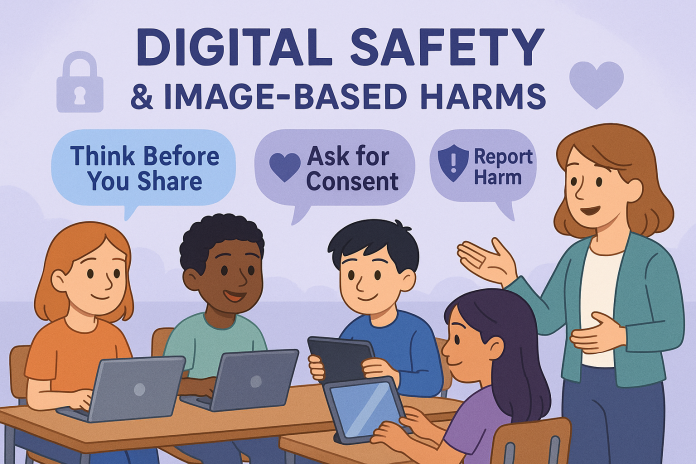
- Challenge advanced students: create a digital campaign post for “Think Before You Share.”
Lesson 3: Laws, Rights & Responsibilities
Duration: 60 minutes
Focus: Understanding legal protections and reporting image-based harm.
Learning Intention
Students understand that image-based abuse is illegal and know where to report it.
Success Criteria
- I can identify laws that protect people online.
- I can explain my rights and responsibilities.
- I know where to get help.
Teacher Script & Support
1. Discussion Starter (10 mins)
🗣 Teacher says:
“Imagine someone shares a private photo of you without permission.
What would you do? Who could help?”
Record answers on the board. Guide discussion toward trusted adults and official channels.
2. Explicit Teaching (20 mins)
Display simplified notes:
- In Australia, image-based abuse is covered under the Criminal Code Act 1995 (Cth).
- It’s illegal to share or threaten to share private images without consent.
- The eSafety Commissioner can help remove content and support victims.
🗣 Teacher says:
“Even if someone sends you an image, it doesn’t mean you can share it.
Consent applies every time.”
3. Group Task – “Know Your Rights” (20 mins)
Students match real-world scenarios to the correct action and law using a worksheet.
| Scenario | What should you do? | Which law applies? |
|---|---|---|
| A classmate shares your image | Tell a trusted adult, report to eSafety | Criminal Code (Image-based abuse) |
| Someone threatens to post a photo | Save messages, tell an adult, contact eSafety | Threat/Intimidation Laws |
💬 Prompt students:
“The goal isn’t to memorise the law, but to know that protection exists.”
4. Reflection (10 mins)
Students write a “60-Second Summary” on what they’d do if an image of them was shared.
Assessment:
✔ “Know Your Rights” worksheet accuracy.
✔ Reflection piece clarity.
Differentiation:
- Provide simplified examples for Year 4–5.
- Have Year 7 students research a real Australian court case.
Lesson 4: Empathy & Emotional Impacts
Duration: 60 minutes
Focus: Building empathy and recognising emotional harm from image misuse.
Learning Intention
Students understand how image-based harm affects emotions and relationships.
Success Criteria
- I can identify how people feel when harmed online.
- I can show empathy in my responses.
- I can suggest positive actions to support others.
Teacher Script & Support
1. Warm-Up – Feeling Line (10 mins)
Place signs: Calm – Upset – Angry – Embarrassed – Ashamed.
Read scenarios (e.g., “Someone shares your photo without asking”).
Students stand by how they’d feel.
🗣 Teacher says:
“Feelings help us recognise harm. Empathy means caring about how others feel.”
2. Explicit Teaching (15 mins)
Discuss emotional responses and how online harm can spread quickly.
Define digital empathy: understanding how someone else feels online.
🗣 Teacher says:
“Before we post, we can ask: Would this make someone feel proud, or hurt?”
3. Activity – Case Study (25 mins)
Read a short fictional scenario:
Sasha’s friend edited her photo into a meme and shared it with others. Now she feels humiliated and doesn’t want to go to school.
Small groups discuss:
- How might Sasha feel?
- What could her friends do to help?
- What could the teacher or school do?
Groups record answers on chart paper and present back.
4. Reflection (10 mins)
Students write a “Message to Sasha” — one supportive line that shows empathy.
Display anonymously as a “Wall of Care.”
Assessment:
✔ Written responses demonstrate empathy.
✔ Group participation and discussion quality.
Differentiation:
- Use emotion picture cards for younger students.
- Advanced task: students design a peer support poster or video.
Lesson 5: Taking Action & Seeking Help
Duration: 60 minutes
Focus: Empowering students to respond safely and develop digital safety plans.
Learning Intention
Students create personal safety plans and identify trustworthy help networks.
Success Criteria
- I can name trusted people and organisations that can help.
- I can outline steps to take if image-based harm occurs.
- I can describe proactive ways to stay safe online.
Teacher Script & Support
1. Recap & Quiz (10 mins)
Quick Kahoot or paper quiz revising:
- What is consent?
- What is image-based harm?
- Where can you get help?
🗣 Teacher says:
“Knowing what to do before something goes wrong helps you act confidently.”
2. Explicit Teaching (15 mins)
Display help-seeking options:
- Trusted adults (family, teachers, wellbeing staff)
- eSafety Commissioner – esafety.gov.au/report
- Kids Helpline – 1800 55 1800
- Police (in serious or threatening cases)
Explain the Three Steps of Response:
- Pause and protect yourself (don’t reply, take screenshots).
- Tell someone you trust.
- Report or block.
3. Activity – My Digital Safety Plan (25 mins)
Students complete their own plan including:
- Who are my trusted adults?
- What will I do if something unsafe happens?
- How can I prevent harm online?
🧠 Prompt:
“Who are your real-life helpers? Who online can you trust?”
Encourage creative presentation (poster, brochure, or Google Slide).
4. Reflection & Pledge (10 mins)
🗣 Teacher says:
“We’re going to finish with one promise to ourselves.”
Students write a Digital Citizenship Pledge on a post-it and share:
“I will think before I share.”
“I will ask for consent every time.”
Display as a class “Pledge Wall.”
Assessment:
✔ Completed Digital Safety Plan.
✔ Pledge demonstrates internalised learning.
Differentiation:
- Provide guided templates.
- Allow digital versions for advanced students to share at assembly.
Assessment Rubric
| Criteria | Emerging | Developing | Proficient | Advanced |
|---|---|---|---|---|
| Understanding of digital safety | Identifies some risks | Describes basic safety | Explains multiple risks and solutions | Applies safety concepts independently |
| Understanding of consent & laws | Limited awareness | Understands basics of consent | Explains consent and law link | Teaches or advocates for safe sharing |
| Empathy & response | Recognises emotions | Describes impact | Suggests supportive actions | Demonstrates leadership in empathy |
| Help-seeking & reflection | Identifies one support | Lists trusted adults | Describes steps to seek help | Models advocacy for peers |